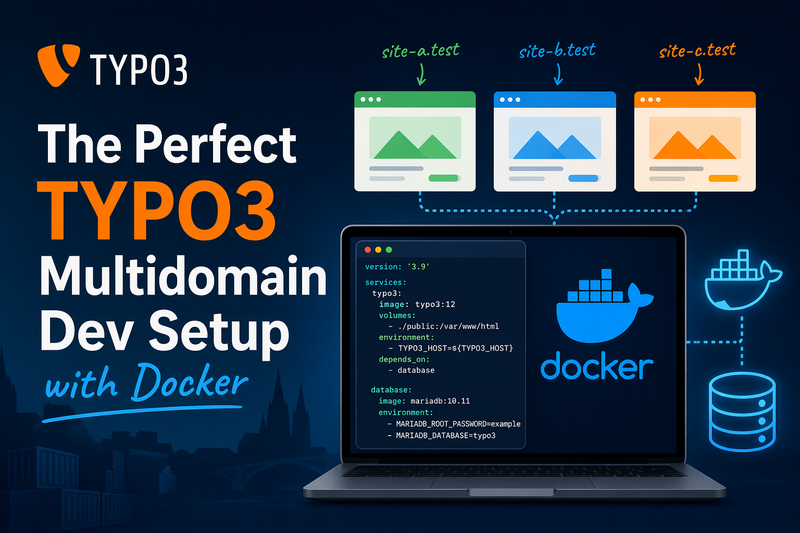
Ok, listen, I have been ranting about the combination Docker/Typo3 in my last blog post and I do still stand with that. Anyway, there are multiple good reasons for using Docker to develop TYPO3, and the advantages do outweigh the problems.
In this blog post I'll show you how to set up the perfect TYPO3 development environment for creating a site package, in a multidomain environment including Docker, Docker-compose, Xdebug and TYPO3 11.5.
The Stack
Before we dive in, here's what we're going to run:
- One Nginx container as a reverse proxy
- One PHP-FPM container with Xdebug
- One MySQL container
- TYPO3 11.5 installed via Composer
Nginx will route traffic based on hostname, so site-one.local and site-two.local can both point to the same TYPO3 instance while behaving as completely separate sites.
Hostfile
First things first: your browser has no idea what site-one.local is. You need to tell your operating system to route those domain names to localhost. This is done via the hosts file.
On Linux and Mac you'll find it at /etc/hosts. On Windows it's hiding at C:\Windows\System32\drivers\etc\hosts. Open it with admin/root privileges and add your local domains:
127.0.0.1   site-one.local
127.0.0.1   site-two.local
Now when you type site-one.local into your browser, your machine routes the request to localhost - where your Docker setup is listening. Nginx then takes it from there and serves the right TYPO3 site based on the hostname.
In your Nginx config you create a separate server block for each domain:
server {
    listen 80;
    server_name site-one.local;
    root /var/www/html/public;
    index index.php;
    # ... rest of your Nginx config
}

server {
    listen 80;
    server_name site-two.local;
    root /var/www/html/public;
    index index.php;
    # ... rest of your Nginx config
}
Use a consistent naming convention for your local domains - like .local - and stick to it across your whole team. Document them in the project README so a new developer can be up and running in five minutes, not five hours.
Disable Cache
TYPO3's caching is great for production. For development it's a nightmare. You change something in your TypoScript and nothing happens because TYPO3 is happily serving a cached version. Let's fix that.
In your AdditionalConfiguration.php, check the application context and disable everything that slows you down:
if (getenv('TYPO3_CONTEXT') === 'Development') {
    $GLOBALS['TYPO3_CONF_VARS']['FE']['debug'] = 1;
    $GLOBALS['TYPO3_CONF_VARS']['SYS']['devIPmask'] = '*';
    $GLOBALS['TYPO3_CONF_VARS']['SYS']['displayErrors'] = 1;
    $GLOBALS['TYPO3_CONF_VARS']['SYS']['clearCacheSystem'] = 1;
}
Do not use this in production!!!
And set the environment variable in your docker-compose.yml:
services:
  php:
    environment:
      - TYPO3_CONTEXT=Development
With this in place, TYPO3 will show errors, skip frontend caching, and generally behave like a well-trained development tool.
You can have a different log level in development that will help you catch errors early - set displayErrors to 1 and devIPmask to * and TYPO3 will show you everything it's doing wrong.
Debugger
I've already written about why you should use a debugger. So let's skip the evangelizing and get straight to making Xdebug work with Docker and PHPStorm - the part where most developers give up. Don't. It's worth it.
First, make sure Xdebug is installed in your PHP container. In your Dockerfile:
RUN pecl install xdebug && docker-php-ext-enable xdebug
Then configure Xdebug to connect back to your host machine. The trick here is host.docker.internal - Docker resolves this to your host machine's IP automatically:
[xdebug]
xdebug.mode=debug
xdebug.start_with_request=yes
xdebug.client_host=host.docker.internal
xdebug.client_port=9003
On Linux, host.docker.internal doesn't work out of the box. Add this to your docker-compose.yml:
extra_hosts:
  - "host.docker.internal:host-gateway"
In PHPStorm, go to Settings → PHP → Debug and set the port to 9003. Then add a server under Settings → PHP → Servers with your local domain and configure the path mappings - map your local project root to /var/www/html inside the container.
The path mapping is the part everyone gets wrong. Your local /home/user/myproject needs to map to /var/www/html inside the container. Get this wrong and Xdebug connects but PHPStorm has no idea where to put the breakpoint.
Hit the "Listen for PHP Debug Connections" button, set a breakpoint, reload your page. PHPStorm stops right there. No more var_dump() - you're debugging like a professional now.